This is especially useful for RFP responses, draft agreements, and board materials that have a shorter shelf life, as they don’t need to be opened or used many times.
How to Create Secure PDF Links Without Leaks
July 29, 2026
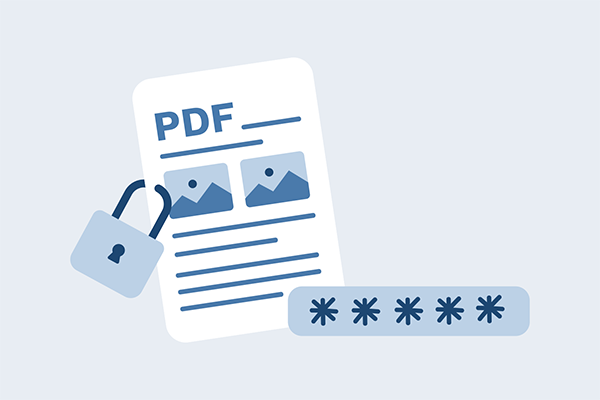
Sharing a PDF through a regular link is very simple nowadays. Just copy a URL, paste it into an email, and you’re done. But that simplicity is exactly what makes it risky and sometimes even dangerous.
A single forwarded link can expose confidential contracts, reports, or research material to anyone with a browser. Securing a PDF doesn’t just involve adding a password to the file; it includes many more elements that make it truly impregnable.
Here’s how you can utilize a layered approach to properly protect your PDFs from unauthorized access.
Understanding Security Risks in PDF Link Sharing
Many people overlook how quickly a shared PDF link can spiral out of control. The moment you create a link, you’ve created a potential entrance. The question is whether that entrance has a lock, deadbolt, or nothing at all.
Common Vulnerabilities in Public Links
A regular Google Drive or Dropbox link with “anyone with the link can view” permissions is simply a screen door: it may appear protected, but it actually stops nothing. Anyone who receives the link can forward it, and the recipient of the file can do the same.
Within hours, a document meant for three people can reach thirty. Worse, most cloud storage platforms don’t notify you when someone new accesses the file. The link itself becomes the credential, and credentials that can be freely copied aren’t credentials at all.
The Danger of Search Engine Indexing
Here’s something that surprises people: search engines can and do index publicly shared document links. If a link appears on a website, in a forum post, or even in certain cached pages, Google may crawl it.
Once indexed, your “private” PDF shows up in search results for anyone looking. This has happened to organizations sharing investor documents, legal filings, and internal strategy decks. A 2025 study by Cyberhaven found that nearly 8% of documents shared via public links were accessible through search engines within 90 days.
Essential Methods for Securing PDF Access
Knowing the risks is step one. Step two is building actual defenses. The good news is that several proven techniques exist, and they work best in combination.
Implementing Password Protection and Encryption
Password-protecting a PDF is the most basic layer, but it’s also the most misunderstood. A simple open password can be stripped in seconds using free tools like SmallPDF or even some browser extensions.
If you’re relying on password protection alone, you’re relying on the honor system. AES-256 encryption applied at the document level is far stronger, but only when paired with a delivery mechanism that doesn’t expose the decryption key alongside the file. Sending the password in the same email as the document, for example, defeats the purpose entirely.
Setting Expiration Dates and View Limits
Time-limited links are one of the most useful methods to prevent leaks from spreading further. If a link expires after a definite time or after limited views, even a forwarded URL becomes useless.
This is especially useful for RFP responses, draft agreements, and board materials that have a shorter shelf life.
The tradeoff is convenience: recipients who don’t open the document in time will need a new link. But that friction is a feature, not a bug, because it forces intentional access rather than casual sharing.
Restricting Permissions for Printing and Downloading
Native PDF permissions can disable printing and copying, but these restrictions are trivially bypassed. ABBYY FineReader or a simple screenshot tool can extract content from a “protected” PDF in minutes.
True permission enforcement requires DRM technology that controls the document at the rendering level, preventing screen capture, copy-paste, and unauthorized printing regardless of what software the viewer uses.
Device binding, where a document can only be viewed on a specific authorized device, adds another layer that bars casual redistribution.
Choosing the Right Secure Hosting Platform
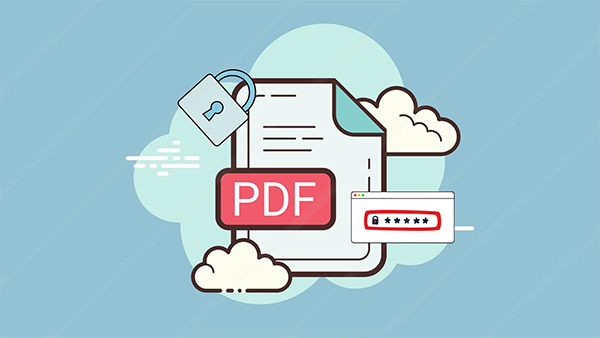
Where you host your PDF matters as much as how you protect it. Not all platforms treat security the same way.
Cloud Storage Solutions vs. Dedicated PDF Portals
Google Drive, OneDrive, and Dropbox are built for collaboration, not for document security. Their sharing controls are binary: either someone has access, or they don’t, with limited granularity in between. Dedicated PDF security portals, by contrast, are designed specifically to control how documents are viewed, who views them, and what they can do with the content. The difference is like comparing a general-purpose padlock to a biometric safe. If your documents carry real financial or legal risk, a purpose-built platform is worth the investment.
Using Virtual Data Rooms for High-Stakes Documents
For M&A transactions, fundraising, and virtual data rooms offer the highest level of control. VDRs provide per-user permissions, fence-view technology to stop photography, and detailed audit trails.
They’re expensive compared to standard cloud storage, often running $1,000 or more per month, but when a leaked document could torpedo a deal worth millions, the math works out quickly.
Tracking and Auditing Document Activity
Security without visibility is guesswork. You need to know who opened your document, when, and what they did with it.
Monitoring Real-Time Access Logs
Secure PDF platforms provide real-time dashboards that display every access event: the user, their IP address, device type, location, and duration of every view. This information serves two purposes. First, it lets you identify unauthorized access immediately.
Second, it creates an audit trail that satisfies compliance requirements under frameworks like SOC 2, HIPAA, and GDPR. Checking boxes for auditors is one thing, but real-time monitoring actually catches problems before they become breaches.
Using Dynamic Watermarking to Prevent Leaks
Static watermarks are easy to crop or Photoshop out. Dynamic watermarks, which overlay the viewer’s name, email, IP address, and timestamp directly onto the rendered document, are far harder to remove and serve as a powerful deterrent.
If someone screenshots a dynamically watermarked document and shares it, the leak traces directly back to them.
This distinction between malicious intent and accidental negligence holds great importance, as many leaks come from carelessness, and knowing your name is stamped on every page makes people significantly more careful.
Best Practices for Maintaining Long-Term Link Integrity
Creating a secure link isn’t a one-time task. Documents live for months or years, and your security posture needs to keep up.
Revoking Access and Updating Links
People leave companies, partnerships end, and NDAs expire. If your PDF links remain active even after the fact, former employees and ex-partners still hold access to sensitive materials long after they should.
This is why an organization must build a quarterly review process and audit who has access to what, revoke links that are no longer required, and regenerate URLs for documents that need to be used again.
Remote revocation, the ability to kill access to a document even after it’s been downloaded, is a DRM feature that traditional PDF sharing simply cannot match.
Secure Distribution Channels for Sharing Links
Even the most locked-down PDF link is vulnerable if you share it through an insecure channel. Email is the most common distribution method, but unencrypted email is readable by anyone who intercepts it.
Use encrypted email services, secure messaging platforms like Signal, or your PDF platform’s built-in invitation system to deliver links.
Avoid posting links in Slack channels that usually contain broad membership or in email threads with large CC lists. The fewer eyes on the link itself, the fewer opportunities for it being found somewhere where it shouldn’t.
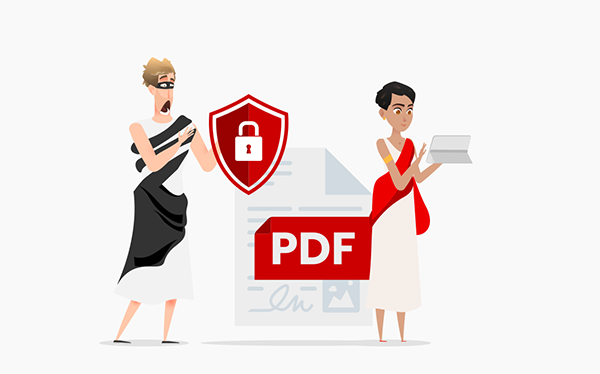
Protecting What Matters Most
Building secure PDF links without leaks requires more than a single tool or setting. It demands a defense-in-depth strategy: encryption, access controls, expiration, DRM, dynamic watermarking, and ongoing monitoring working together. No single layer is sufficient on its own, but combined, they create a system where unauthorized access becomes genuinely difficult rather than merely inconvenient.
If you’re serious about protecting confidential PDFs from unauthorized sharing, copying, and piracy, Locklizard provides DRM solutions purpose-built for document security, including device binding, remote revocation, and dynamic watermarking that essential secure documents in a way that most regular tools cannot.
FAQs
What are time-limited links most useful for?
What do secure PDF platforms provide?
Secure PDF platforms provide real-time dashboards that display every access event: the user, their IP address, device type, location, and duration of every view.
What is remote revocation?
Remote revocation is the ability to block access to a document even after it’s been downloaded; it is a DRM feature that traditional PDF sharing simply cannot match.
Latest Post
10 Best Remote Employee Monitoring Tools in 2026
Savan Sanghvi September 28, 2026
What is Computer Vision and How it Works?
Leah Schwiesow June 27, 2026
Related Post
10 Best Remote Employee Monitoring Tools in 2026
by Savan Sanghvi September 28, 2026
How to Create Secure PDF Links Without Leaks
by Savan Sanghvi July 29, 2026

What is Computer Vision and How it Works?
by Leah Schwiesow June 27, 2026